A client asks whether their website already has Google Analytics. You find a Tag Manager container in the source, but you still need to confirm which tags the site publishes. The ScrapePlaces Website Technology Checker gives you a starting point for that conversation. It shows the evidence behind each detection and the page where it appeared.
What the checker looks for
Enter a public website, sign in to ScrapePlaces, and run the check. The report looks for platforms and frameworks such as WordPress, Shopify, Wix, Squarespace, Webflow, and Next.js. It also checks for analytics and advertising tools, including Google Analytics, Google Tag Manager, Google Ads, Microsoft Clarity, and Meta Pixel.
Open the evidence for a detection to see the corresponding asset, tag, or configuration. A single site can have several findings. For example, its pages might run on WordPress and load both Google Tag Manager and a separate Google Analytics tag.
Real example from a university admissions site
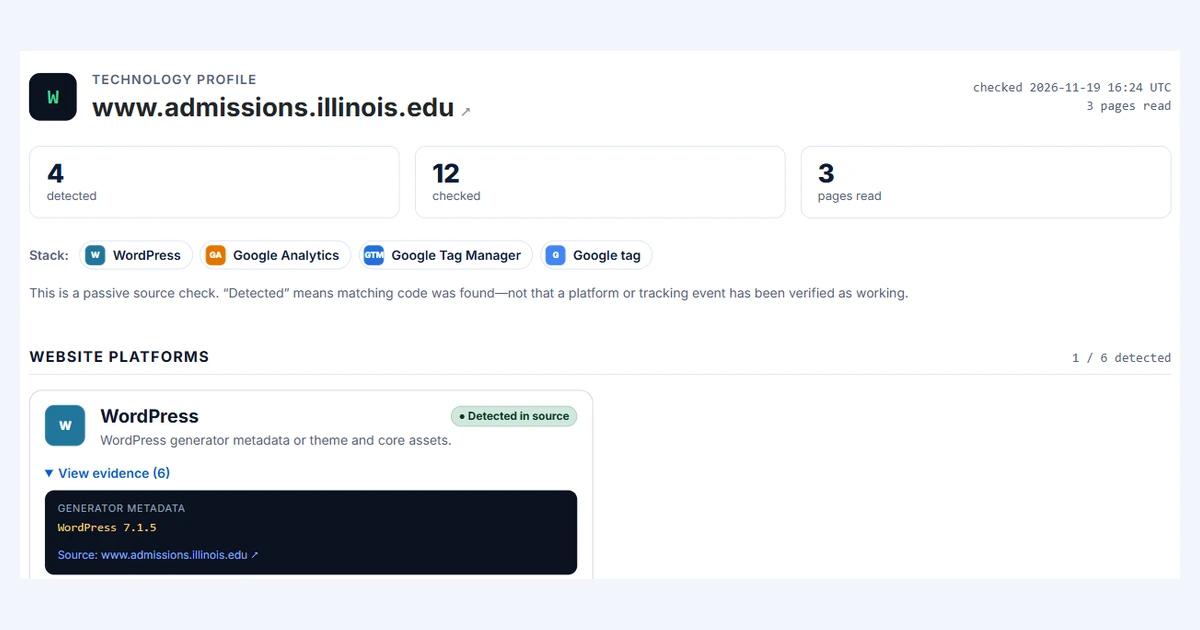
On November 19, 2026, the checker read three pages and found source evidence for four technologies on the University of Illinois Urbana-Champaign’s public admissions site. Illinois Undergraduate Admissions
| Finding | Evidence from the check | What to do with it |
|---|---|---|
| WordPress | Generator metadata and stylesheets under /wp-content/themes/uofi-2020/ |
Use the source evidence to identify the platform before discussing maintenance. |
| Google Tag Manager | A reference to googletagmanager.com/gtm.js |
Review the container separately if you need to know which tags it manages. |
| Google Analytics | A G- measurement ID visible in the source |
Confirm that the ID matches the expected Analytics property. |
| Google tag | A reference to googletagmanager.com/gtag/js |
Use the tag configuration to determine which destinations it serves. |
Finding a tag in the source tells you where to look next. Use the client's analytics account and a live test event to confirm that tracking works. Tags loaded after consent or through a separate configuration can fall outside what the checker can see.
How it compares with industry tools
Wappalyzer's Technology Lookup covers a broader range of technologies and also offers bulk analysis. BuiltWith offers technology profiles, historical data, and lists of sites using a technology. Those tools are useful when the job calls for a wide technology inventory or research across many accounts.
Use ScrapePlaces when you have one site in front of you and want to see the source behind a few specific platform or tracking findings. For an agency intake call, those findings can become a short list of access requests and questions for the client.
Check a website's technology to see what you can verify before the call.