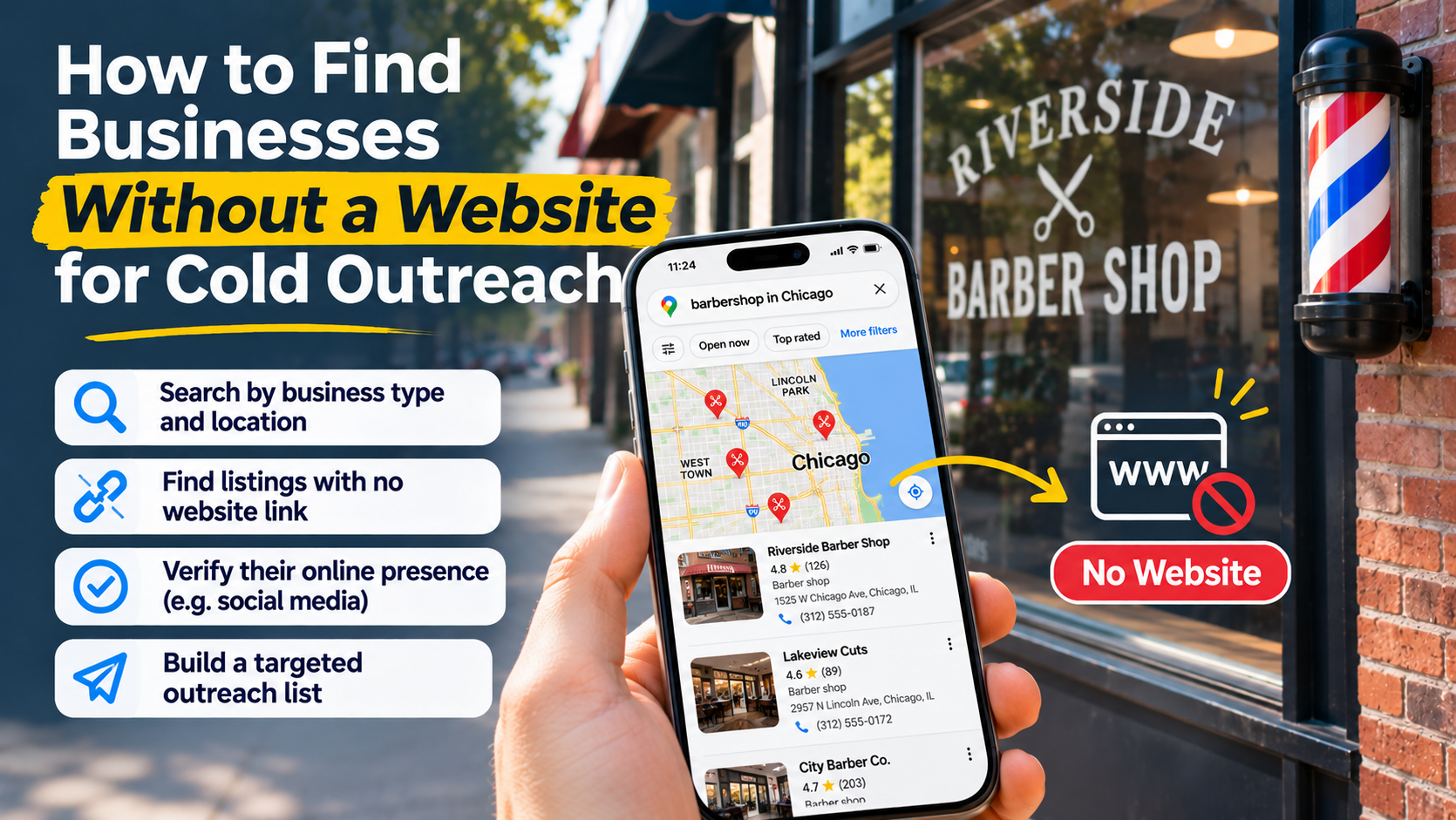
To find businesses without a website, search a business category and location on Google Maps, record listings with no website link, then check search results and public profiles before contacting them. Treat a missing link as a research signal, not proof: the business may have an unlisted site, a social-only presence, or no interest in building a website.
The useful outcome is not a spreadsheet full of blanks. It is a list of active businesses with a verified gap, a reachable contact channel, and a plausible reason to consider your offer.
Define the gap you can actually solve
Before searching, decide what your service would help customers do. “You need a website” is a weak starting point because it assumes the owner shares your priorities.
A more practical offer connects a website to a specific task:
- A repair shop could explain which vehicles and repairs it handles.
- A landscaper could show project examples and collect quote requests.
- A salon could publish services and direct visitors to its existing booking system.
- A specialty retailer could clarify product availability and how to contact the store.
These are possible use cases, not evidence that a particular business needs your service. Your research should test whether the task is currently difficult for customers.
Choose a category you understand and an area you can serve. Keep the initial search focused enough that you can recognize relevant businesses, judge their existing customer journey, and write messages that do not sound interchangeable.
Also define exclusions. You might exclude branches whose websites are controlled centrally, businesses outside your service area, and operators whose existing booking page already handles the problem you intended to solve.
Build a candidate list, not a finished outreach list
Google Maps is a practical starting point because you can inspect the website field alongside business details. Botsol’s guide to identifying missing website links describes checking listings manually or collecting records and filtering an exported website column for blanks. It also notes that some businesses put social profile links in that field.
Research manually when you need context
Search using a category and place, such as “auto repair in Bristol.” Open relevant listings and record the business name, address, phone number, category, and website link, if present.
Do not search only for phrases such as “businesses without websites.” Search for the businesses themselves, then inspect their records.
As you work, put each candidate into a provisional status:
- No website listed: The listing has no website link, but you have not checked elsewhere.
- Social or directory link listed: The destination is a third-party profile rather than an independent website.
- Website listed: There is a site to inspect, so this is not currently a no-website lead.
- Unclear: The link fails, redirects unexpectedly, or may belong to another business.
A broken link deserves its own investigation. It could indicate a moved website rather than the absence of one.
Use structured collection for a repeatable workflow
If you are researching across categories or areas, structured records can make filtering and deduplication easier. Keep the collected website value separate from your verified website status so you do not overwrite the original evidence.
ScrapePlaces lets you choose a business type and place, see an estimate, and collect matching Google Maps records, including name, address, phone number, website, rating, and category. Lists can be filtered, combined, and exported; its collection workflow and business data overview explain the process and available fields. Missing public information remains a limitation, not something collection automatically fixes.
Whichever method you use, keep the discovery stage separate from the decision to contact someone.
Verify the website status before writing a pitch
An empty website field tells you what that listing contains. It does not establish everything the business has published online.
Search the exact business name with its town or neighborhood. If the name is generic, include the street, service category, or listed phone number. Check whether a plausible website matches the business’s address, contact details, and services.
Then inspect public social profiles and relevant local or trade directories. Look for links in profile descriptions, contact sections, and booking buttons. Outscraper’s guide to researching businesses without websites recommends cross-checking business-name searches and using directories and social platforms as additional discovery sources.
Use status labels that reflect your certainty:
| Verified status | What it means for outreach |
|---|---|
| Website found | Remove from the no-website segment or reassess for a different service. |
| Social-only presence found | Investigate whether an independent site would solve a distinct problem. |
| Third-party booking or storefront found | Check what that destination already does before proposing another tool. |
| No independent website found | Consider outreach, but describe what you checked rather than making an absolute claim. |
| Identity or status uncertain | Hold the record for further research. |
Prefer “I couldn’t find a website linked from your listing or public profile” to “You don’t have a website.” The former is accurate about your research and leaves room for correction.
Qualify activity, fit, and reachability separately
A business can lack a website and still be a poor prospect. Before outreach, assess separate questions rather than assigning value to the missing link alone.
Does the business appear active? Look for consistent contact details, current-looking public updates, recent customer activity, and an absence of closure notices. Conflicting signals should trigger another check, not a confident assumption.
Is there an observable customer task your offer could improve? Follow the public path a prospective customer would take. Can they understand the service, see examples, find the location, or discover how to request an appointment? Record the specific friction you encountered.
Can you reach an appropriate business contact? A published business phone number or clearly designated contact address gives you a channel to evaluate. It does not tell you who makes purchasing decisions or whether unsolicited contact is permitted.
Do not use ratings as a proxy for budget. A well-reviewed business might not want a website, and a sparse listing might belong to an operator with a deliberate referral-based model.
Prioritize records with clear identity, credible signs of activity, relevant customer friction, and an appropriate contact route. Set uncertain records aside rather than forcing them into a campaign.
Keep evidence and outreach notes in the same record
Your spreadsheet should let someone understand why a lead was selected without repeating all the research.
Useful fields include:
- Business name, category, location, and published phone number.
- Original website value and verified website status.
- Discovery reference and references used for verification.
- Date checked and any uncertainty about business identity.
- Existing social, booking, or directory presence.
- The customer task you tested and the gap you observed.
- Contact channel, contact outcome, and do-not-contact status.
Deduplicate overlapping searches by comparing business names, addresses, and phone numbers. Review possible matches rather than automatically merging every shared number: related locations may use a central contact line.
Keep notes factual. “No service list found on the public profile checked” is useful. “Owner is bad at marketing” is speculation and gives your outreach team nothing reliable to work with.
Choose a channel that exists and is appropriate
Do not build an email campaign around email addresses you do not have. Botsol’s explanation of email availability for no-website businesses notes that Maps generally does not display email addresses and that website-based email collection depends on a website being available.
Look for an explicitly published business email or contact method on the profiles you verified. Do not guess addresses, treat an unrelated personal account as a business contact, or assume enrichment will produce missing information.
Before calling, emailing, or messaging, check the applicable marketing, privacy, platform, and calling rules. Public visibility is not blanket permission for unsolicited outreach. Identify yourself accurately, respect refusals, and maintain a suppression record so another campaign does not restart contact.
Write from an observation, not an accusation
A useful message connects something you checked to something you can help with. Avoid claims about lost revenue, poor search visibility, or competitors outperforming the business unless you have evidence for that exact claim.
For a hypothetical repair shop, an opener could be:
Hi, I’m reaching out about your shop’s online service information. I found your Maps listing, but couldn’t find a linked website explaining the repairs you handle. Do you already have a page you send customers to, or is that something you’d like help putting together?
This gives the recipient an easy way to correct your research. If they share an existing site, update the record. If they prefer their current setup, accept that answer.
If they express interest, ask which customer questions take up time or what information they would want a page to contain. Use those answers to shape the offer rather than sending a generic feature list.
Use replies to improve the next search
Track research mistakes separately from sales outcomes. “Website existed but was not linked” means your verification needs improvement. “Existing booking page meets their needs” suggests your qualification criteria were too broad. “Not interested” is a response to respect, not evidence that the business was inactive.
Adjust category selection, verification checks, and message relevance before collecting more records. Expand only when the process consistently produces leads whose identity, online setup, and contact route you can explain with confidence.